
Create and revoke access tokens
Generate scoped dxb_ access tokens for the dxb CLI, the /api/v1 REST API and the MCP server, and revoke them when they are no longer needed.
An access token is a secret that starts with dxb_ and lets a script or tool act on Doxbrix without a browser session. Use this guide to create a token with only the scopes it needs, copy it once, and revoke it when a laptop, pipeline, or integration no longer needs access.
The dxb CLI, the REST API, and the MCP server all authenticate with access tokens. Doxbrix offers two kinds:
| Kind | Where you create it | Acts as | Use it for |
|---|---|---|---|
| Personal access token | Settings → API Tokens, or Profile & Account → Access Tokens | You, across every project you can reach | Your own CLI and local tools |
| Project token | Project settings → API Tokens | You, limited to one project | CI pipelines and integrations for a single site |
Before you begin
- Sign in to Doxbrix. Any member can create personal tokens for their own account.
- For a project token, you need admin access to that project, because the project token section requires the Admin project permission.
- Decide what the token must do and how long it should live. A short expiry limits the damage if the token leaks.
Choose scopes
Scopes limit what a token can do. New tokens start with Read docs, Write docs, and Read project selected, which covers everyday docs work.
| Label | Scope | Allows |
|---|---|---|
| Read docs | docs:read | List and read pages |
| Write docs | docs:write | Create and edit pages; includes docs:read |
| Read project | project:read | View project metadata |
| Admin project | project:admin | Manage project settings; includes project:read |
| Use AI | ai:use | Invoke AI authoring features |
| Run agents | agent:run | Execute agent tasks |
| Read analytics | analytics:read | Read usage and analytics |
| Read billing | billing:read | View plan and usage (personal tokens only) |
| Manage tokens | tokens:manage | Create, list, and revoke delegated tokens |
Create a personal access token
Select Settings in the left sidebar. Under INTEGRATIONS, select API Tokens. The section shows the Create a token form and your Active tokens.
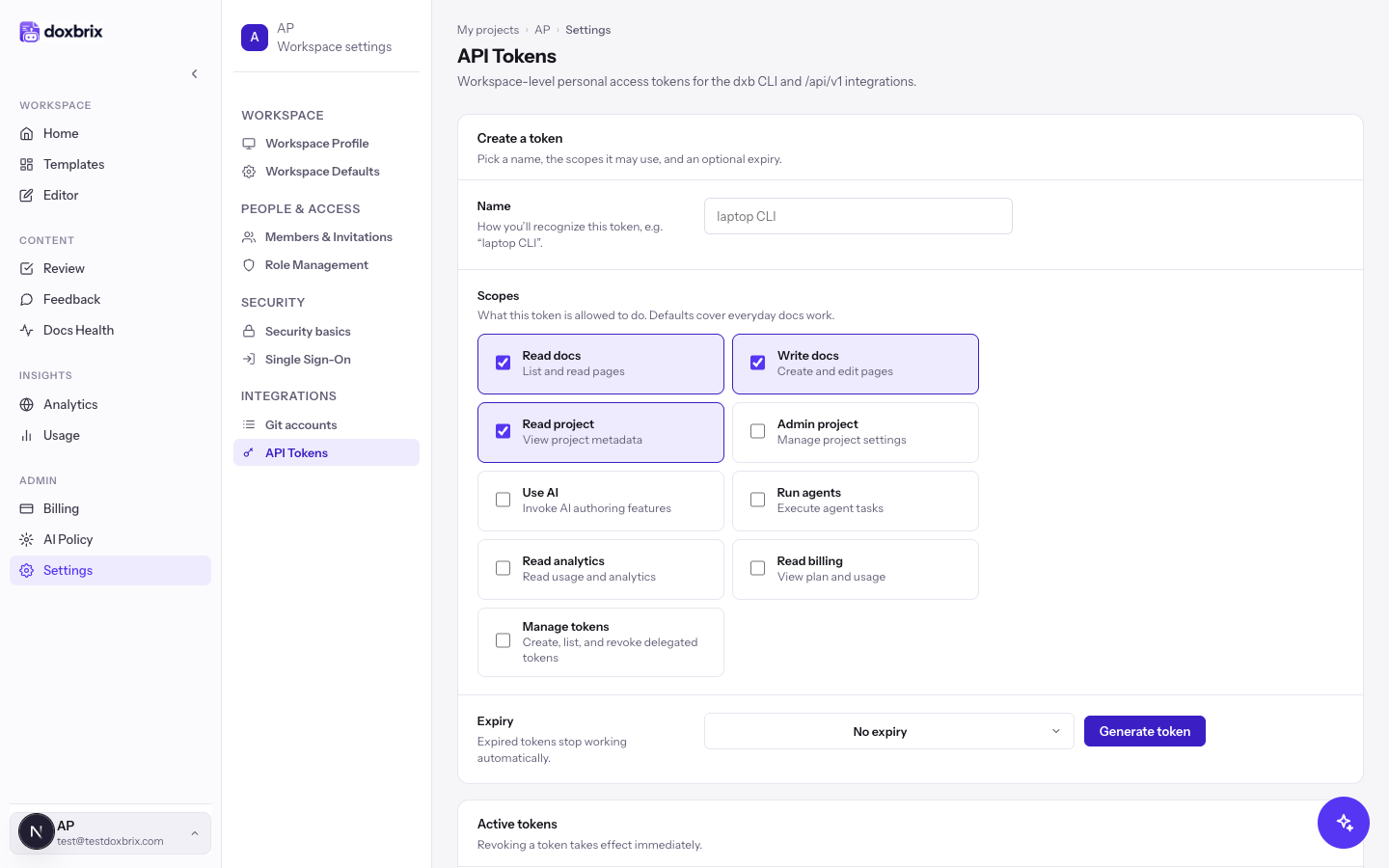
In Name, enter a label you will recognize later, such as laptop CLI. Names can be up to 80 characters. If you leave the name empty, Doxbrix shows "Give the token a name so you can recognize it later."
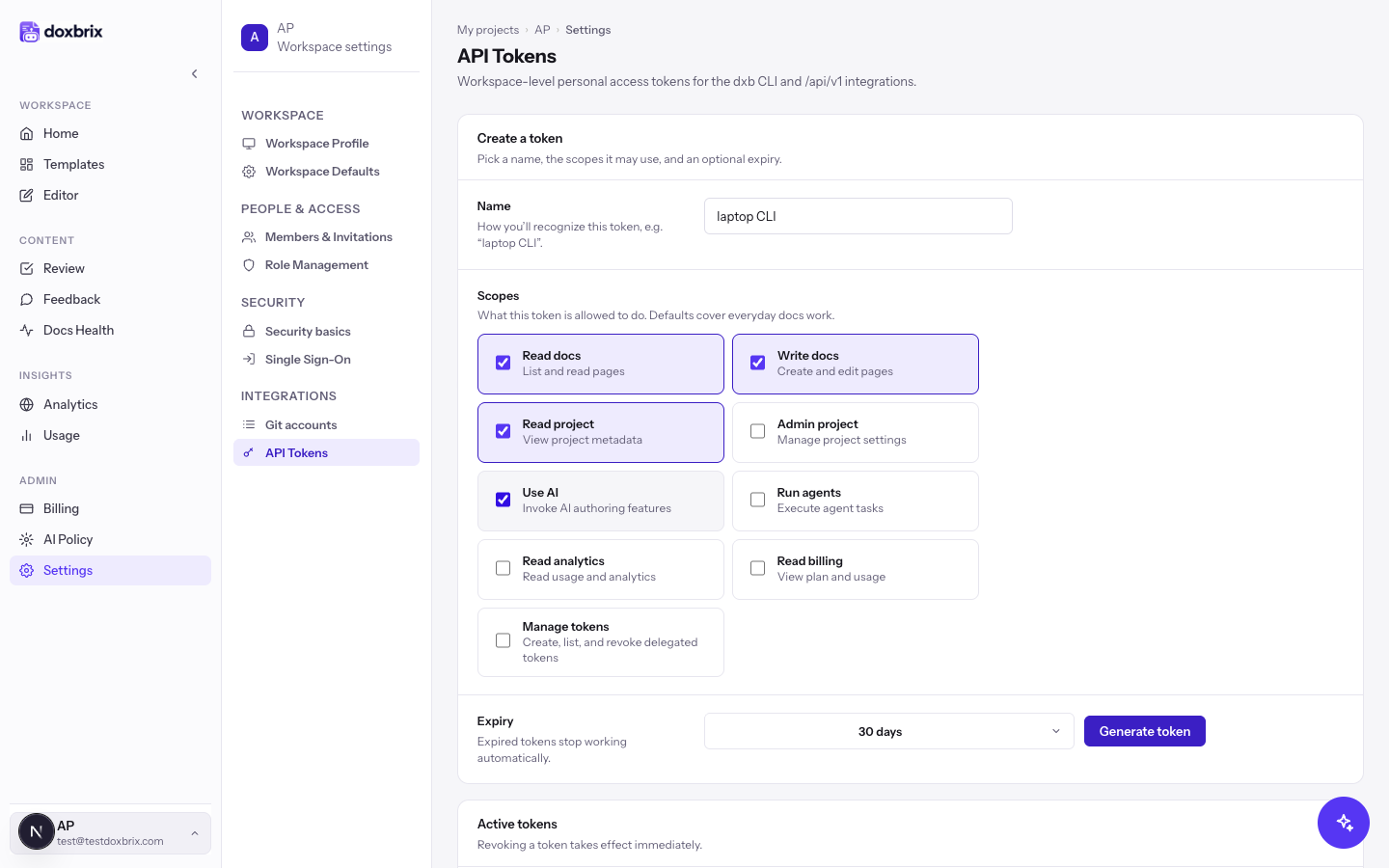
Under Scopes, keep the defaults or change them. For example, select Use AI if you plan to run AI authoring commands from the CLI. Clear any scope the token does not need.
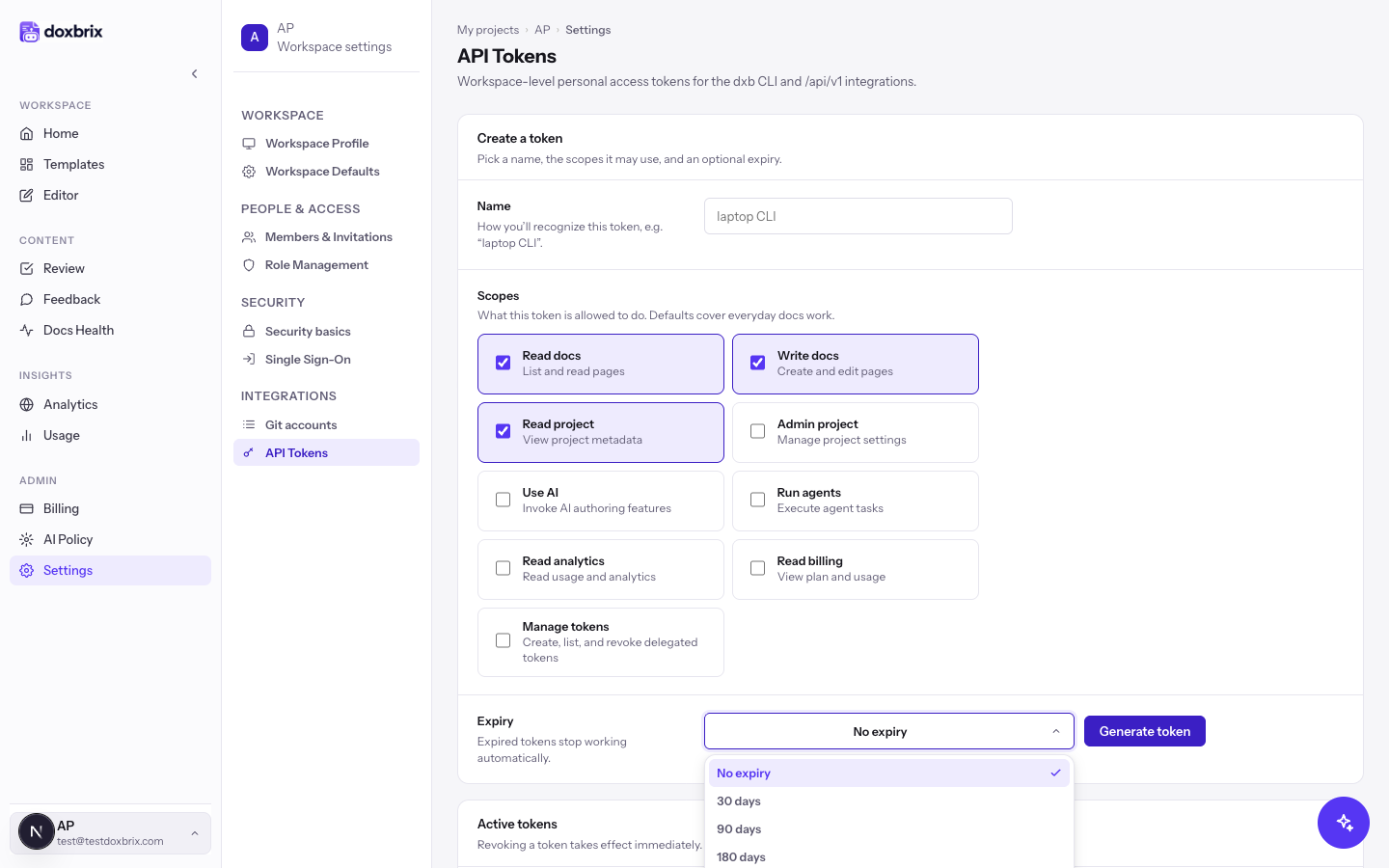
Open Expiry and choose No expiry, 30 days, 90 days, 180 days, or 1 year. Expired tokens stop working automatically.
Check the form, then select Generate token. The button shows Generating… while Doxbrix creates the token.
The new value, which starts with dxb_, appears with the message "Copy it now, it won't be shown again." Select Copy and store the value in a password manager or your CI secret store. Doxbrix keeps only a hash, so nobody can display the value again.
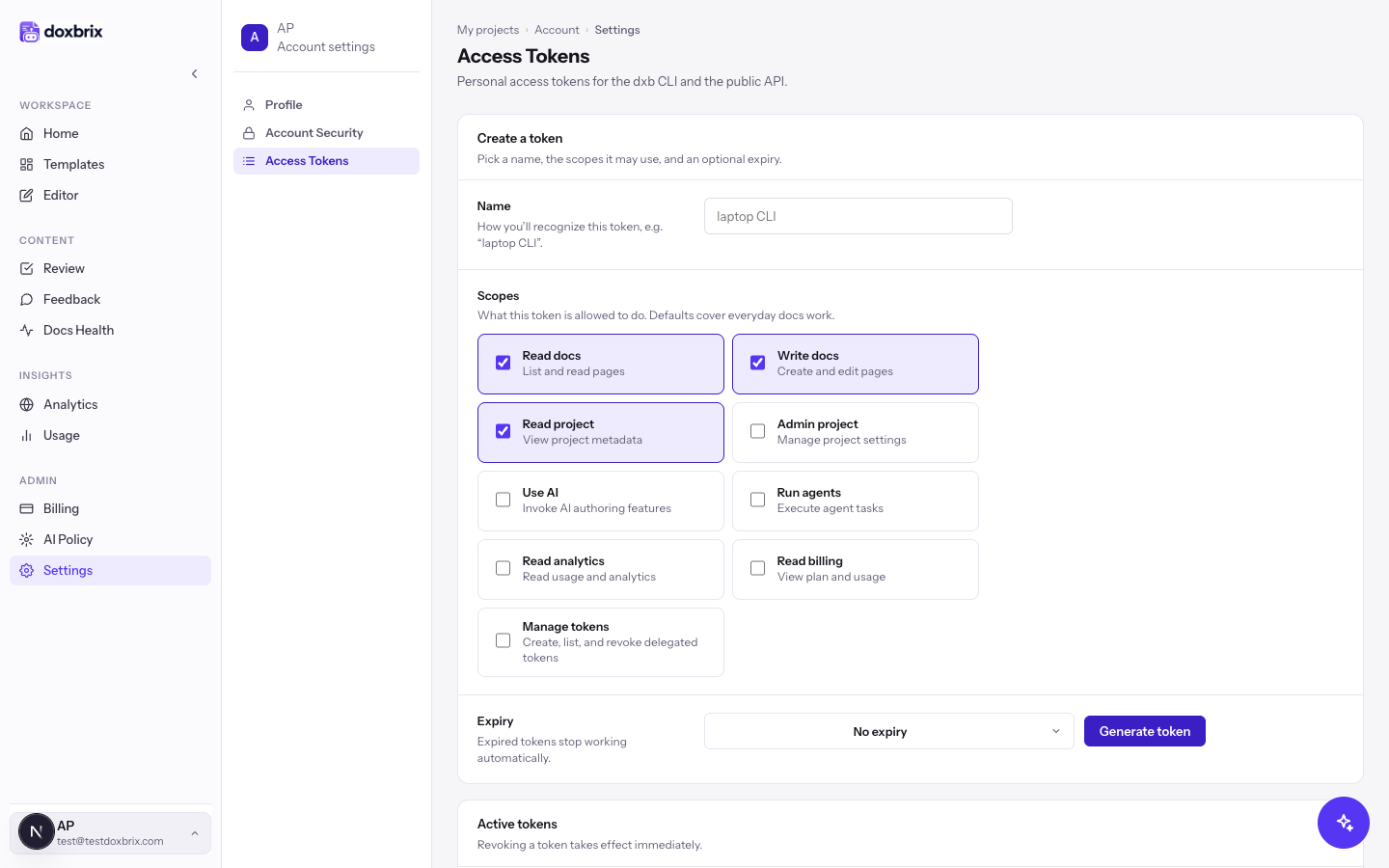
You can also manage the same personal tokens from your account. Open the account menu, select Profile & Account, and then select Access Tokens. See Manage your profile and account security.
Create a project token
A project token works only for one project, so a leaked CI secret cannot reach your other sites.
Open the project, select Project settings, and under ADMINISTRATION select API Tokens. The section reads "Tokens scoped to this project for the dxb CLI and the public API."
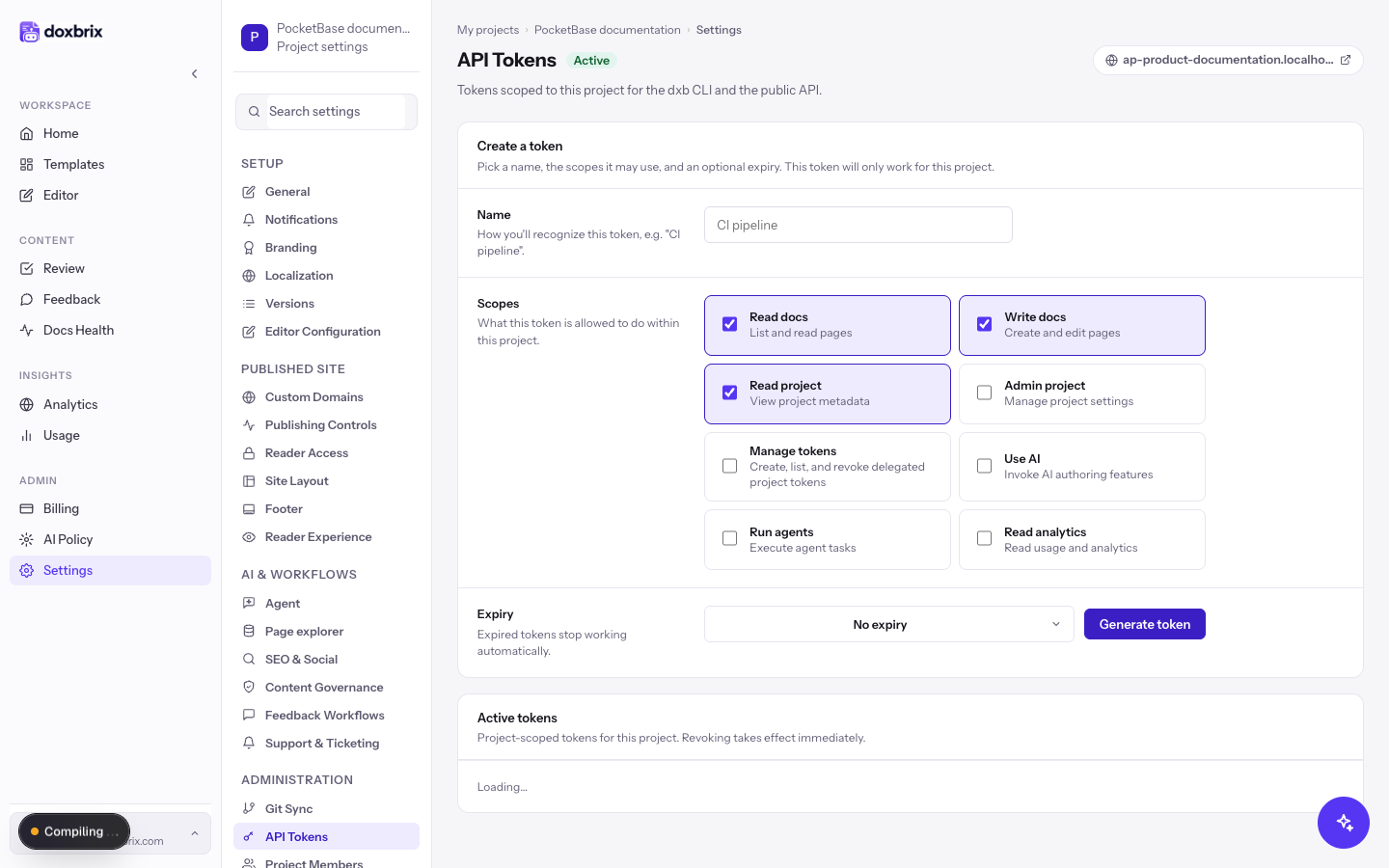
Enter a Name such as CI pipeline, select the scopes, and choose an Expiry. Project tokens offer every scope except Read billing.
Select Generate token, then select Copy and save the value. Like personal tokens, it is shown only once.
Use the token
Sign in the CLI by running dxb login and pasting the token when prompted; see Install the dxb CLI and sign in for non-interactive options. For HTTP calls, send the token as a bearer credential:
curl https://your-doxbrix-host/api/v1/projects \
  -H "Authorization: Bearer $DOXBRIX_TOKEN"
Keep the token in an environment variable or secret store rather than in scripts or repositories.
Revoke a token
In Active tokens, find the row by its name and dxb_ prefix. Each row lists its scopes and when it was created, last used, and expires.
Select Revoke. The dialog warns: "Any client using this token will stop working immediately. This cannot be undone."
Select Revoke token. The notice confirms the token was revoked, and the row leaves the list.
Verify
- After you create a token, it appears in Active tokens with the scopes and expiry you chose.
- Run a read command, such as the
curlcall above; a valid token returns data instead of an authentication error. - After you revoke a token, the same call fails with an authentication error.