
Project settings reference
Look up every project settings section, its fields, options, defaults and the role required to change them.
Project settings control how one Doxbrix project is written, reviewed, published and served to readers. Use this page to find a setting, see its options and default, and learn who can change it.
Open project settings
Open settings for a project from the dashboard: select the gear on the project card. The settings page opens at /settings/project?projectId=<id> with the General section selected. The header shows the project name, an Active or Archived badge and, when the site is live, a link to the published site host.
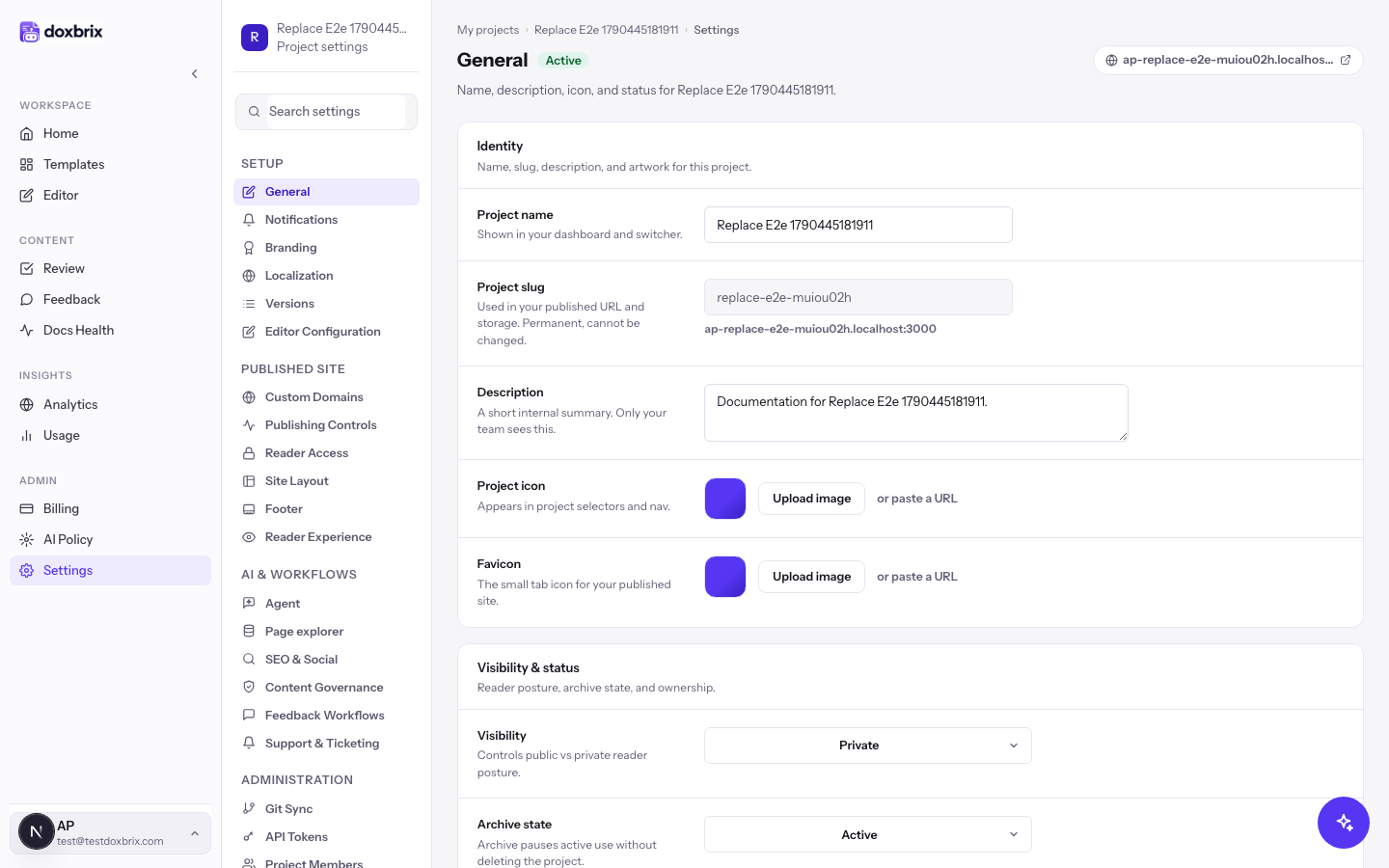
Use Search settings at the top of the section list to jump to a section by keyword, for example robots, sso or approval requirement.
Who can change settings
| Role | Can save project settings |
|---|---|
| Workspace Owner or Admin | Yes, in every project |
| Project Owner or Admin | Yes, in that project |
| Any other role | No. Saving returns a permission error. |
Workspace roles are described in Roles and permissions.
Save and discard changes
Most sections share one footer. When you change a field, the footer shows Unsaved changes. Select Save changes to apply every edited section at once, or Cancel to discard your edits. If you leave the page with unsaved edits, Doxbrix asks Discard unsaved changes? first.
Custom Domains, Git Sync and Page explorer do not use the shared footer; use the buttons inside those sections instead.
Section map
Native projects (authored in Doxbrix) show these sections. Group headings are labels only; select an item beneath them.
| Group | Sections |
|---|---|
| Setup | General, Notifications, Branding, Localization, Versions, Editor Configuration |
| Published site | Custom Domains, Publishing Controls, Reader Access, Site Layout, Footer, Reader Experience |
| AI & workflows | Agent, Page explorer, SEO & Social, Content Governance, Feedback Workflows, Support & Ticketing |
| Administration | Git Sync, API Tokens, Project Members, Project Overview |
Page explorer appears only when it is enabled for your Doxbrix deployment. Connected projects use a different, shorter set of sections; see Connected projects.
Setup
General
Project identity, visibility and archive state.
| Field | Values | Notes |
|---|---|---|
| Project name | Text | Shown in your dashboard and project switcher. |
| Project slug | Read-only | Used in the published URL and storage. It is permanent and cannot be changed. The published host appears below it. |
| Description | Text | A short internal summary that only your team sees. |
| Project icon | Image upload or URL | Appears in project selectors and navigation. |
| Favicon | Image upload or URL | The browser tab icon for the published site. |
| Visibility | Public, Private | Public or private reader posture. See Make a site private. |
| Archive state | Active, Archived | Archiving pauses active use without deleting the project. |
| Ownership display | Read-only | The owner label used across setup and admin screens. |
Notifications
Turns each project email notification on or off for you. Every notification is off by default. Workspace member and billing emails always send.
| Group | Notifications |
|---|---|
| Content workflow | Page submitted for review, Page approved & published, Page changes requested, Page published, Page unpublished, Comment mentions, Batch submitted for review, Batch approved, Batch changes requested |
| Support | Support ticket replies, Support status changes, Support satisfaction requests, Support team replies |
| Digests | Weekly docs health digest |
For account-wide email preferences, see Manage notifications.
Branding
Brand identity for the editor preview and the published site. See Brand your site and choose a layout for a guided walkthrough.
| Field | Values | Default |
|---|---|---|
| Primary color | Six-digit hex color, for example #111827 | — |
| Font family | Font name | — |
| Base font size | Small (14px), Compact (15px), Default (16px), Comfortable (17px), Large (18px) | Default (16px) |
| Default theme | Light, Dark, Use device setting | Use device setting. A reader's own choice takes precedence. |
| Light logo | Image | Logo for light surfaces. |
| Dark logo | Image | Logo for dark surfaces. |
| Support email | Email address | Reader and author support address. |
| Footer identity | Text | Footer copyright or identity string. |
Localization
Sets the default language, the enabled locales, their labels and how localized URLs are structured. See Publish docs in multiple languages.
Versions
Publishes documentation for several product versions with a version picker on the site. Each version has a Version label and a Version tag. See Version your product documentation.
Editor Configuration
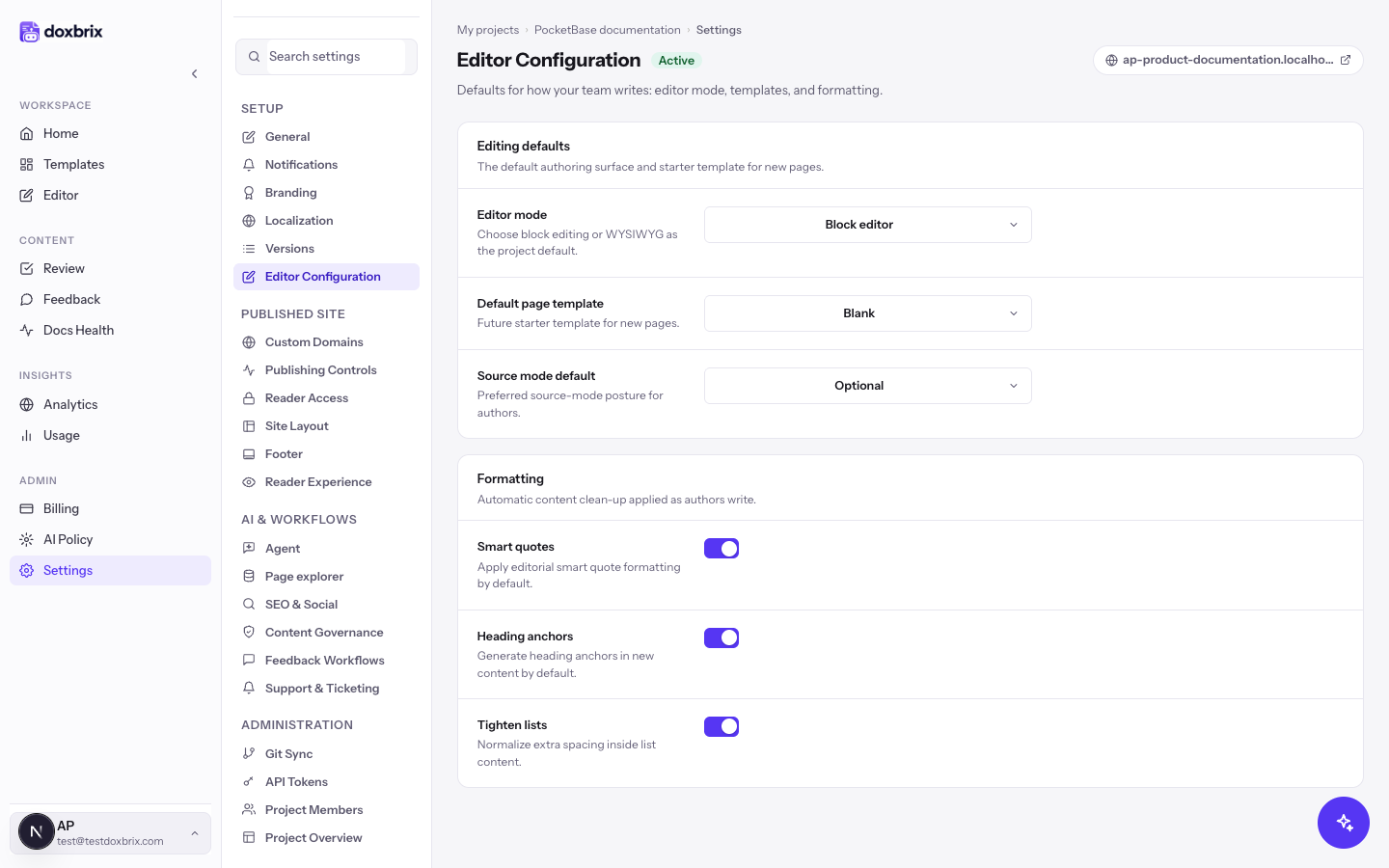
Defaults for how your team writes.
| Field | Values | Default |
|---|---|---|
| Editor mode | Block editor, WYSIWYG | Block editor |
| Default page template | Blank, Guide, API reference, FAQ | Blank |
| Source mode default | Disabled, Optional, Preferred | Optional |
| Smart quotes | On or off | On |
| Heading anchors | On or off. Generates heading anchors in new content. | On |
| Tighten lists | On or off. Normalizes extra spacing inside lists. | On |
To learn the editor itself, see Tour the editor.
Published site
Custom Domains
Serves the site on your own domain with automatic SSL. You add a hostname, create the DNS records Doxbrix shows, and verify them. See Connect a custom domain.
Publishing Controls
How the site is published and indexed by search engines. See Configure publishing controls and SEO indexing.
| Field | Values | Default |
|---|---|---|
| Canonical URL | URL, for example https://docs.example.com | — |
| Robots rule | Index everything, Noindex drafts, Noindex entire site | — |
| Indexing policy | Workspace default, Allow indexing, Discourage indexing | Workspace default |
| Sitemap generation | On or off. Includes published pages in the sitemap. | — |
| Preview URL | Read-only | The preview surface for project reviewers. |
| Unpublished page handling | Hide from navigation, Show teaser, Redirect to home | Hide from navigation |
Reader Access
Decides who can read the published site and how readers sign in. Fields include Reader mode, Preview access rule, Sign-in method, Who can read and Sign-in page. See Make a site private for every option.
Site Layout
| Field | Values | Default |
|---|---|---|
| Layout | Documentation (sidebar), Help Center (categories), Agent-first (AI workspace) | Documentation (sidebar) |
| Documentation theme | Classic, Atlas | — |
| Maximum site width, Sidebar width, Content width, Table of contents width | Sizes | Set by the theme |
See Brand your site and choose a layout.
Footer
Designs the footer readers see at the bottom of every page: links, link groups, social links, a brand block, or custom HTML. The default footer layout is simple, with no links.
Reader Experience
Navigation and controls readers see on the site. See What readers see.
| Field | Values | Default |
|---|---|---|
| Prev/next navigation | On or off. Shows adjacent-page links in the page footer. | — |
| Language switch placement | Where readers see the language selector | Header |
| Top-nav branding | Which brand treatment anchors the site header | Project branding |
| Top navigation links | Label, URL and icon per link, for example Changelog or Status | None |
| Support CTA label | Text | Contact support |
| Support CTA URL | URL | — |
AI & workflows
Agent
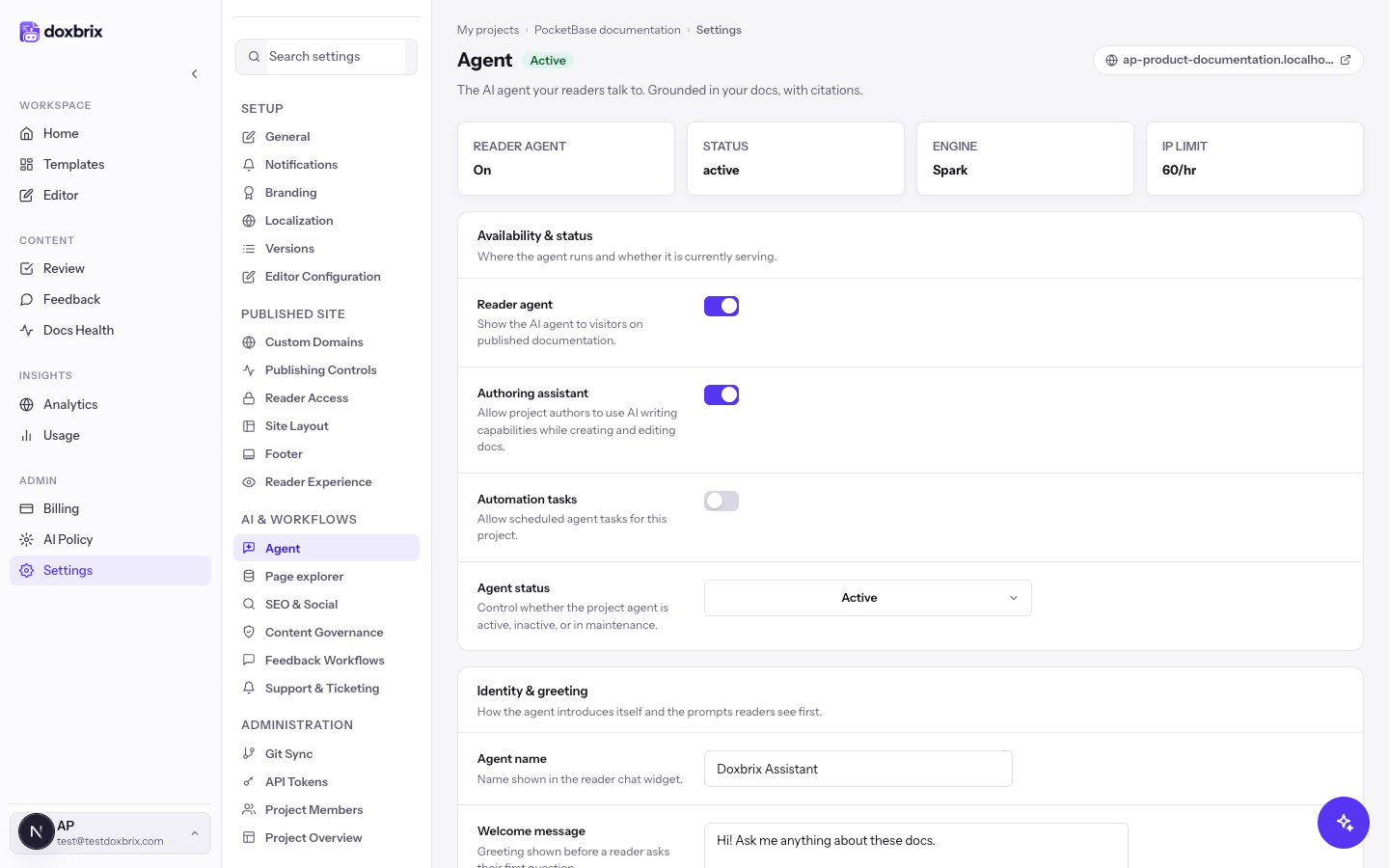
Configures the Ask AI agent readers talk to, and the AI features authors use in this project. See Set up the Ask AI assistant.
| Field | Values |
|---|---|
| Reader agent | On or off. Shows the agent on published pages. |
| Authoring assistant | On or off. Lets authors use AI writing while editing. |
| Automation tasks | On or off. Allows scheduled agent tasks. |
| Agent status | Active, Inactive, or maintenance |
| Agent name | Name shown in the reader chat widget |
| Welcome message | Greeting shown before the first question |
| Starter questions | One per line; up to six are shown |
| Image understanding | On or off |
| Agent instructions | Custom guidance on tone and emphasis, added to every answer |
| Agent engine | Spark (faster direct answers) or Atlas (deeper reasoning) |
| Response length | Brief, Balanced, Detailed |
| Fallback mode | How the agent behaves when the docs lack an answer, for example Answer with fallback |
| Fallback message | Optional text for low-confidence or uncovered questions |
| Show citations | On or off. Includes source references in answers. |
| Support email | Address used when the agent hands off a question |
| Show help button, Help button label, Help button action (Email or URL), Help button URL | Help button in the agent experience |
| Approval mode | Safety level for AI-generated changes, for example Suggest only |
| Monthly budget | Optional AI budget in USD; blank means no project cap |
| Rate limit per IP | Maximum reader agent requests per IP address each hour (1–5000) |
Workspace-wide AI rules in the AI policy apply on top of these settings.
Page explorer
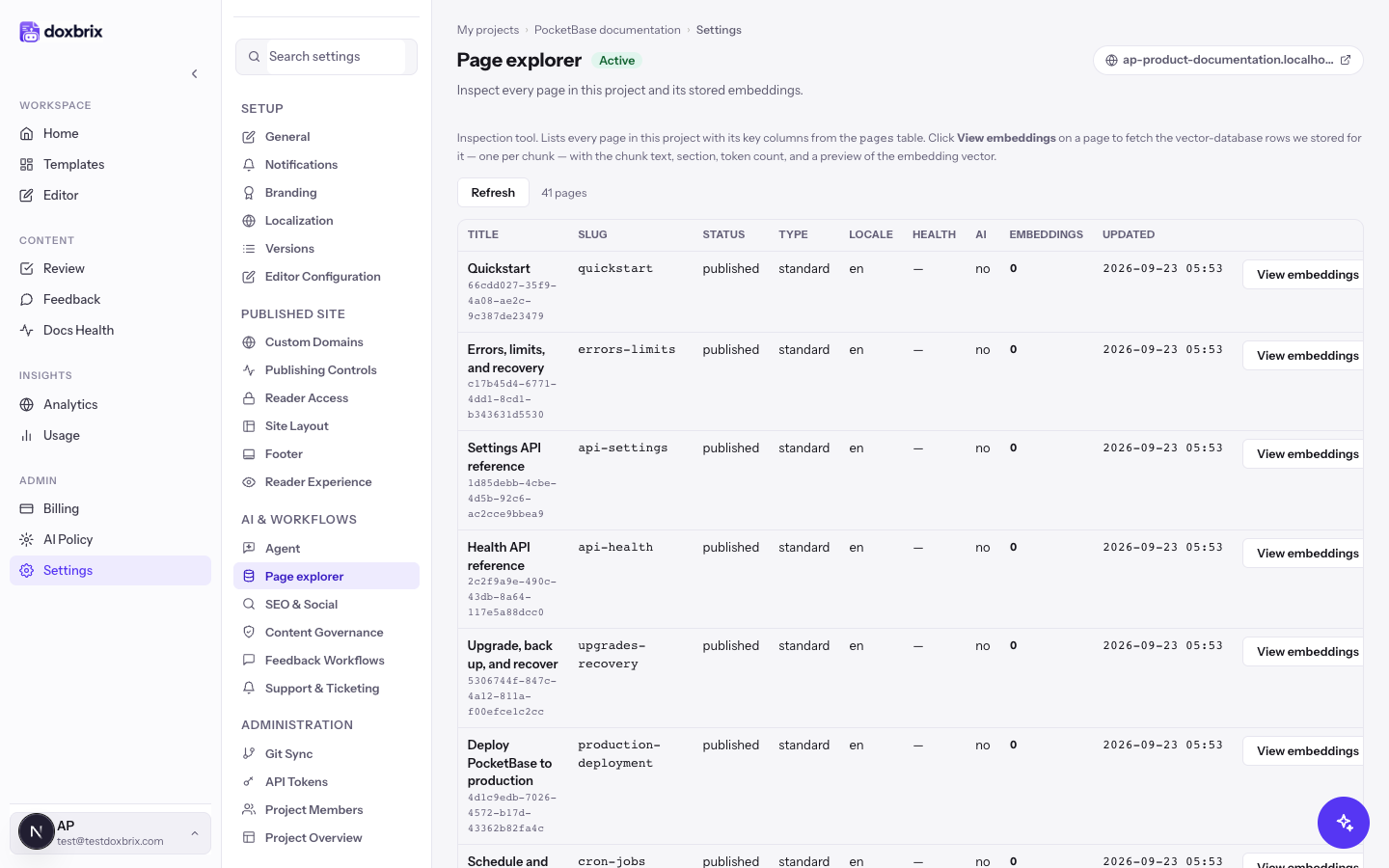
Lists every page in the project with its slug, status, type, locale and embedding count, and a View embeddings button to inspect the stored chunks that Ask AI searches. It is read-only.
SEO & Social
| Field | Values | Default |
|---|---|---|
| Meta title template | Template used when a page has no title override | — |
| Fallback meta description | Project-level default description | — |
| OG image | Default social preview image | — |
| Locale alternates | On or off. Emits alternate-language references. | On |
| Search engine hints | One search engine per line | google, bing |
Content Governance
Ownership, review cadence and approval rules.
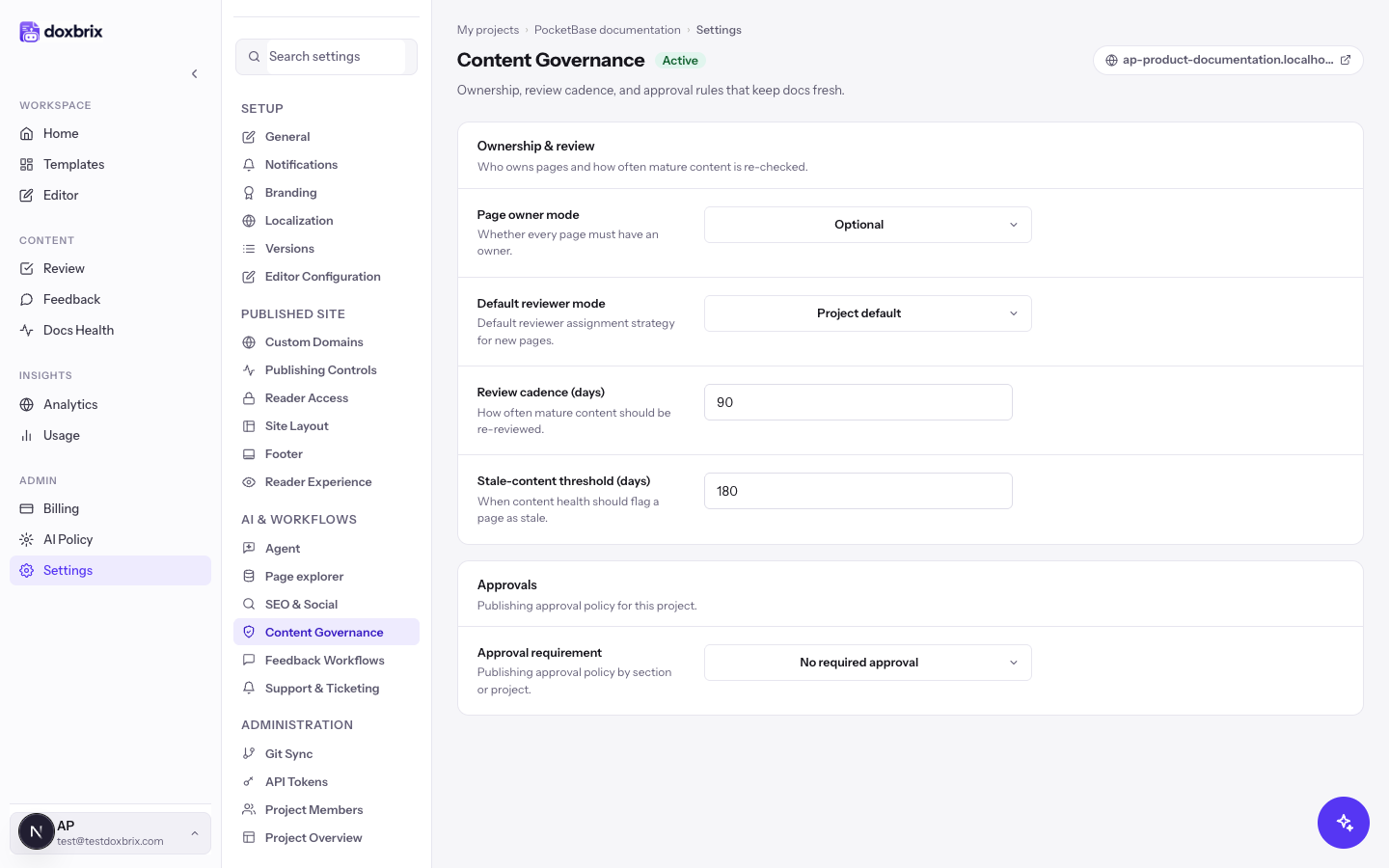
| Field | Values | Default |
|---|---|---|
| Page owner mode | Optional, Required | Optional |
| Default reviewer mode | Project default, None, Page owner, Project owner | Project default |
| Review cadence (days) | Number. How often mature content should be re-reviewed. | 90 |
| Stale-content threshold (days) | Number. When Docs Health flags a page as stale. | 180 |
| Approval requirement | Project review, Section review, No required approval | No required approval |
With No required approval, authors publish pages directly. Project review requires an owner or admin to approve; Section review also lets editors approve. See Page lifecycle and approval policies.
Feedback Workflows
Shows Responses, Positive, Negative, Open comments and Open requests counts, and these switches. See Collect reader feedback and article requests.
| Field | Effect |
|---|---|
| Page helpfulness | Shows the helpfulness widget on published pages. |
| Feedback comments | Lets readers add text. Requires Page helpfulness. |
| Request an article | Offers readers a request flow for missing documentation. |
| Unresolved questions queue | Keeps unanswered requests visible in the feedback inbox. |
| Thank-you message | Text shown after a reader leaves feedback. |
Support & Ticketing
Connects a helpdesk so readers can raise tickets when the docs are not enough. A helpdesk with contact lookup also enables the Helpdesk customers reader sign-in method. See Offer reader support and connect a helpdesk.
Administration
Git Sync
Two-way sync between the project and a GitHub or GitLab repository. See Sync a project with a Git repository.
API Tokens
Tokens scoped to this project for the dxb CLI and the public API. Each token has scopes and an expiry.
| Scope | Allows |
|---|---|
docs:read (Read docs) | List and read pages |
docs:write (Write docs) | Create and edit pages |
project:read (Read project) | View project metadata |
project:admin (Admin project) | Manage project settings |
tokens:manage (Manage tokens) | Create, list and revoke delegated project tokens |
ai:use (Use AI) | Invoke AI authoring features |
agent:run (Run agents) | Execute agent tasks |
analytics:read (Read analytics) | Read usage and analytics |
Expiry options are No expiry, 30 days, 90 days, 180 days and 1 year. See Create and revoke access tokens.
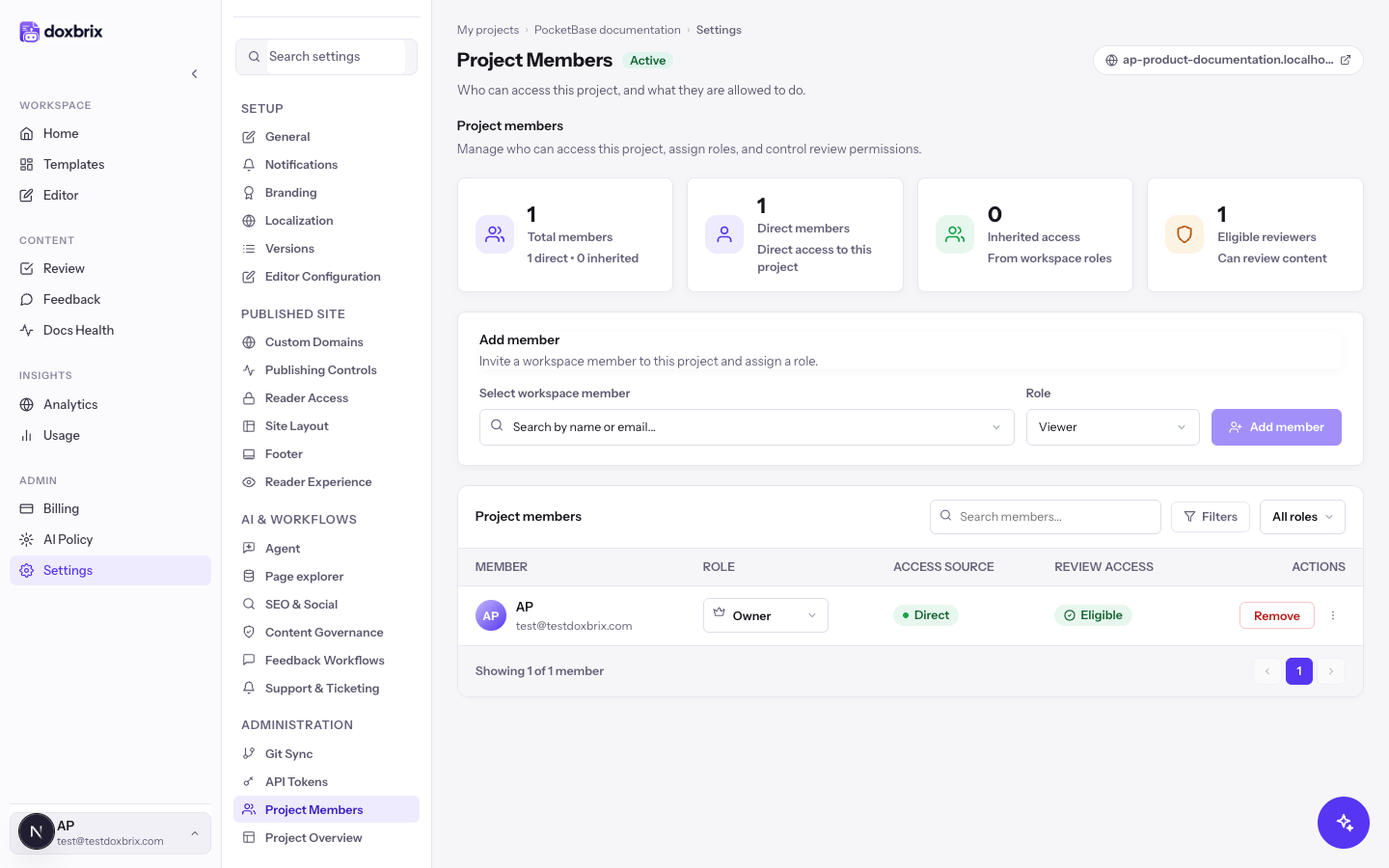
Project Members
Shows Total members, Direct members, Inherited access and Eligible reviewers. Use Add member to give a workspace member a project role, and the members table to change a role or Remove a member. The table shows each member's Role, Access source (Direct or inherited from a workspace role) and Review access.
Project Overview
A read-only summary with Pages, Spaces, Locales, Last publish, Agent and Domain status, plus your workspace and project roles.
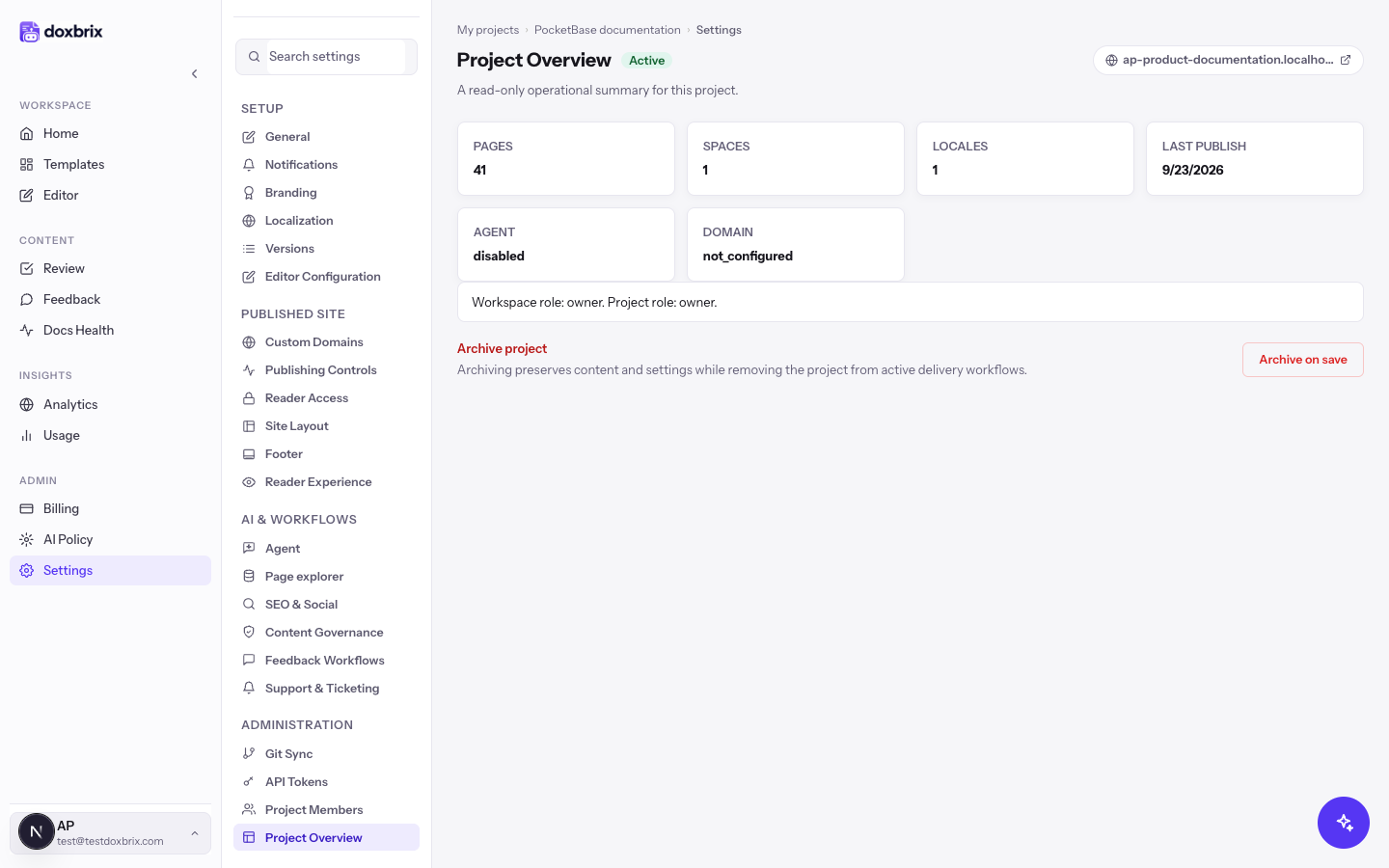
The Archive project card at the bottom archives the project when you save. Archiving keeps content and settings but removes the project from active delivery workflows. To restore it, set Archive state back to Active under General and save.
Connected projects
A connected project hosts an existing docs site built from your repository, so it has no block editor, publishing or theming settings of its own. Its settings use these groups and labels:
| Group | Sections |
|---|---|
| Setup | Basics, Deployments, Site experience, Domain & hosting, Visibility & access |
| AI agent | Agent, Agent theme, Support handoff |
| Insight & team | API keys & embed, Team, Project overview |
Deployments holds deploy history, rollback, build logs and auto-deploy on push. Site experience chooses a docs-first or agent-first landing, the Ask AI button placement and page feedback. See Host an existing docs site and Manage deployments, auto-deploy and rollback.